Pod Lot Scanner
Point your camera at the code on a Pod tray, box, or Pod to check it against the Omnipod MDC-5-26 correction.
Please read. This is an unofficial convenience tool meant to be quicker to use
than Omnipod’s own checker. It is not made by, affiliated with, or endorsed by Insulet / Omnipod.
Use it at your own risk and apply your own best judgement. You can and should dummy-check any result against the
official company tool at
omnipod.com/mdc/check-pod-lot.
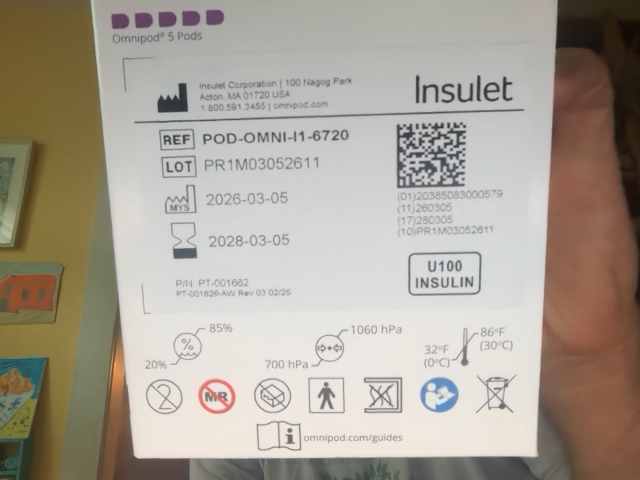
Point the camera at this side of the box.
Hold the code so it fills the frame and stays in focus. You can also scan the code on the Pod tray or the Pod itself.
Hold the code steady inside the frame
Camera is off. Tap Scan to start.
Enter a code or lot number by hand
Your privacy. All QR-code processing happens right here in your browser. Only the
lot number is checked against Omnipod’s servers before the result is shown, and it’s
never written to a log. This site doesn’t collect or store any information about you or your Pods.